2021-01-17 23:18:12 +01:00
# Photo Importer
2018-05-05 18:36:38 +02:00
Command line tools for photo importing/renaming/rotating
2020-03-07 10:00:37 +01:00
### Features:
* Media files scan
* Time when picture was taken detection (by EXIF, by file name, by file attributes)
* Media files moving/copying to configurable hierarchy
* Lossless rotations (via exiftran)
2018-05-07 17:32:00 -04:00
2021-01-17 23:18:47 +01:00
# Photo Importer Server
2020-03-07 08:52:03 +01:00
Standalone web server for fast media import for headless computer
2020-03-07 10:00:37 +01:00
### Features:
* Mounted storages detection (by path mask)
* Storages mount/unmount (via pmount)
* The same as photo-importer but without console
2018-09-22 23:34:44 +02:00
2020-03-07 08:52:03 +01:00
## Installation
### Requirements:
* Python 3.3+
* Debian based Linux (Other Linux versions not officially supported, but might work)
### Dependencies:
2020-05-29 00:05:13 +02:00
* PyExifTool (pip3 install PyExifTool)
2020-03-07 08:52:03 +01:00
* python3-progressbar
* python3-psutil
* exiftran
2020-03-07 10:00:37 +01:00
* pmount
2020-03-07 08:52:03 +01:00
### Installation Options:
#### Installing as debian package
```bash
debuild -b
sudo dpkg -i ../photo-importer_1.0.1_all.deb
```
#### Installing via setup.py
```bash
sudo python3 ./setup.py install
```
2020-03-07 09:29:24 +01:00
## Usage
### Command-Line Interface
```bash
photo-importer /path/to/media/files
```
Will process files (reanaming/rotating) in-place.

```bash
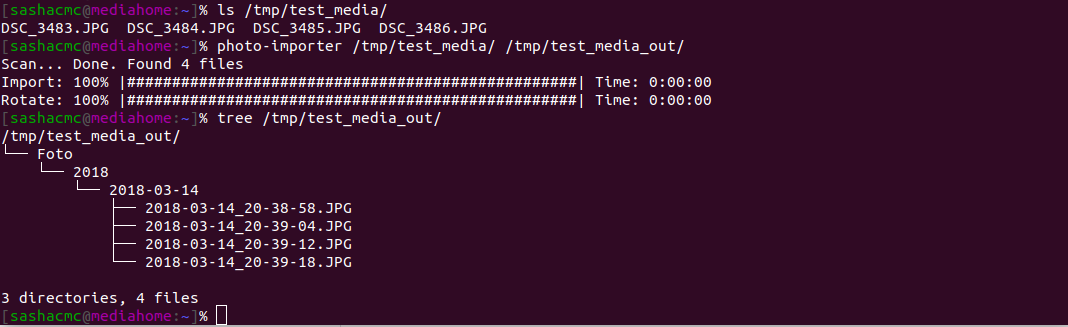
photo-importer /path/to/media/files /output/path
```
Will import (by default move, but it can be changed in config) files from /path/to/media/files to /output/path with date hierarchy creation and reanaming/rotating
2020-03-07 09:44:14 +01:00
### Web Interface
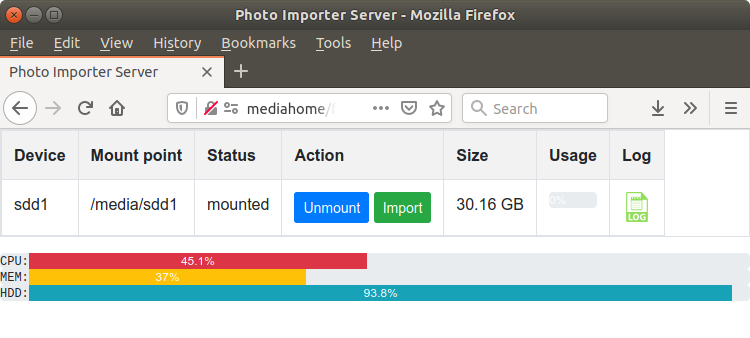
* attach usb-drive / usert memory card
* open http://servername:8080
* click "Mount"
* click "Import"
* click "Unmount"
2020-03-07 10:06:20 +01:00
## Configuration
2021-01-17 23:18:12 +01:00
The server config file located in /etc/photo-importer.cfg
2020-03-07 10:07:17 +01:00
2020-03-07 10:06:20 +01:00
Command line tool config file located in ~/.photo-importer.cfg
2020-03-07 10:07:17 +01:00
2020-03-07 10:06:20 +01:00
Also config file can be specified by mean of -c command line option.
2020-03-07 10:07:17 +01:00
2021-01-17 23:18:12 +01:00
For options details see comments in the config file.
## Acknowledgements
Thanks to everyone who tested and gave advice.
2021-01-17 23:19:09 +01:00
2021-01-17 23:18:12 +01:00
**Bug reports, suggestions and pull request are welcome!**

